
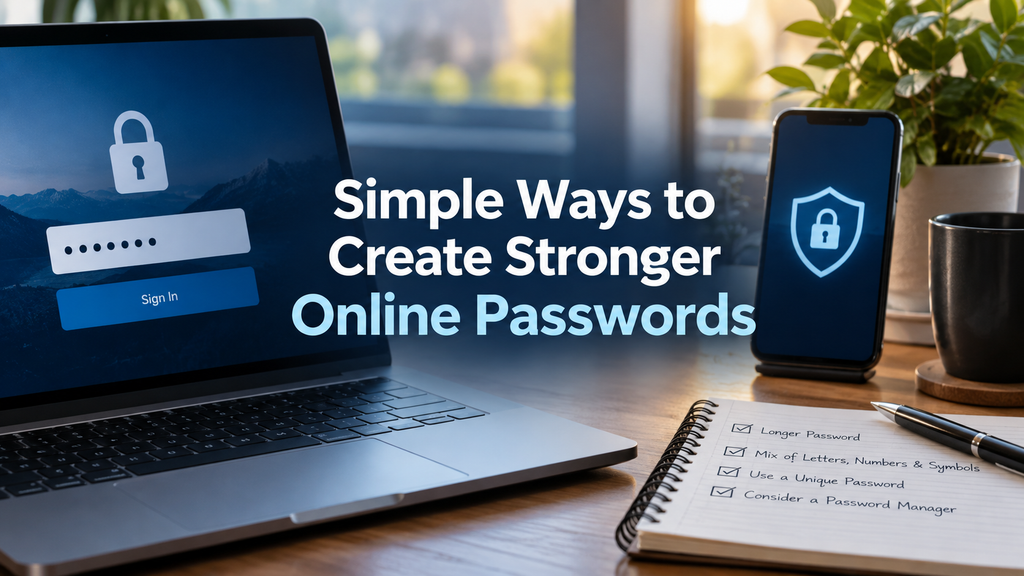
Simple Ways to Create Stronger Online Passwords
Introduction
In today’s digital world, passwords have become an important part of our daily lives. Almost everything we do online requires a password, whether it is checking emails, using social media, shopping online, managing bank accounts, or accessing work platforms. A strong password works like a digital lock that protects personal information from unauthorized access.
Many people still use simple passwords because they are easy to remember. Common examples include names, birthdays, phone numbers, or simple combinations like 123456 and password. Although these passwords may seem convenient, they are among the first choices used by cybercriminals when trying to break into accounts.
Creating stronger online passwords is one of the easiest steps anyone can take to improve digital security. A good password reduces the chances of account theft and helps protect private information. Understanding how passwords work and following simple security habits can make online activities much safer.
Why Strong Online Passwords Are Important
Every online account contains valuable information. An email account may include personal conversations, documents, and recovery details for other accounts. A shopping account may store addresses and payment information. A social media account may contain private photos and personal connections.
If someone gains access to one account, they may attempt to enter other accounts using the same password. This is why creating unique and strong passwords is extremely important.
Cybercriminals use different methods to steal passwords. Some attacks involve guessing common words, while others use automated programs that test thousands of possible combinations. Weak passwords can often be discovered quickly, especially if they contain common information.
A strong password creates a bigger challenge for attackers. It increases the time and effort required to guess or break the password, giving users better protection.
Use Longer Passwords for Better Security
One of the simplest ways to create a stronger online password is to make it longer. Password length is one of the most important factors in password security.
A short password has fewer possible combinations, which makes it easier for attackers to guess. A longer password creates many more possible combinations, making automated attacks much more difficult.
Experts often recommend using passwords with at least twelve characters. Longer passwords are usually more secure because they contain more information that attackers need to discover.
Instead of using a short word like “computer,” a person can create a longer phrase that is easier to remember but harder for others to guess. For example, a sentence or combination of unrelated words can create a much stronger password.
The goal is to create something that is easy for you to remember but difficult for others to predict.
Avoid Using Personal Information
Many people create passwords using information that is easy to find. They may use their name, birthday, family names, favorite sports team, or phone number.
Although these details are meaningful to you, they may not be secret. Someone who knows you or views your public information online may guess these details.
For example, using a child’s name or birth year as a password may seem personal, but this information is often available through social media profiles or public records.
A better approach is to avoid personal details completely. Choose words, numbers, and combinations that do not have a direct connection to your personal life.
Create Unique Passwords for Every Account
One of the biggest password mistakes people make is using the same password everywhere. This habit creates a serious security risk.
Imagine using the same password for email, banking, and social media accounts. If one website experiences a security problem and your password becomes exposed, attackers may try that same password on your other accounts.
Using a different password for every account limits the damage. If one password is compromised, your other accounts can still remain protected.
Creating many unique passwords may seem difficult, but password managers can help organize and store them securely.
Use Password Managers for Better Organization
A password manager is a tool that helps users create, store, and manage strong passwords. Instead of remembering dozens of passwords, users only need to remember one master password.
Password managers can generate complex passwords that are difficult to guess. They can also automatically fill passwords when logging into websites and applications.
This makes online security easier because users do not need to choose simple passwords just because they are easier to remember.
A trusted password manager can be especially useful for people who have many online accounts and want better protection without the stress of remembering every password.
Combine Different Types of Characters
A strong password usually contains different types of characters. Using a combination of uppercase letters, lowercase letters, numbers, and special symbols can increase password strength.
For example, a password made only from lowercase letters is easier to guess compared to one that includes different character types.
However, adding random symbols to a simple word is not always enough. Changing “password” into “Password123!” is still a weak choice because attackers commonly test these patterns.
The best passwords use a combination of characters in a way that does not follow predictable patterns.
Use Passphrases Instead of Simple Passwords
Passphrases are another effective way to create stronger passwords. A passphrase is a longer combination of words that forms a sentence or phrase.
They are often easier for humans to remember while remaining difficult for computers to guess.
For example, instead of creating a short password, a user can combine several unrelated words into a longer phrase. The phrase should not be a famous quote or common sentence because attackers may already include these in their guessing methods.
A unique passphrase can provide both security and convenience.
Enable Two Factor Authentication
Although a strong password provides excellent protection, adding another security layer makes accounts even safer. Two factor authentication adds an additional step when signing in.
After entering a password, users may need to provide another verification method, such as a code sent to a phone, an authentication application, or a security key.
Even if someone discovers the password, they may still be unable to access the account without the second verification step.
Many popular online services now provide two factor authentication options. Enabling this feature is a simple but powerful security improvement.
Change Weak and Reused Passwords
Many people continue using old passwords for years without checking their security. Over time, passwords may become weaker because online threats continue to increase.
It is a good habit to review important accounts and update passwords when necessary. Accounts that contain sensitive information, such as email and financial services, deserve extra attention.
If you discover that a website has experienced a security breach, changing your password immediately can reduce risks.
Updating passwords does not mean changing them randomly every few days. Instead, focus on maintaining strong, unique passwords and improving weak ones.
Be Careful With Fake Login Pages
Strong passwords cannot protect users if they willingly provide them to criminals. One common online threat is phishing, where attackers create fake websites that look similar to real services.
These fake pages are designed to trick users into entering their usernames and passwords.
Always check website addresses before entering login information. Avoid clicking suspicious links received through emails, messages, or unknown websites.
Being careful online is just as important as creating a strong password.
Do Not Share Your Passwords
A password should always remain private. Sharing passwords with friends, coworkers, or other people can increase security risks.
Even trusted people may accidentally expose your password or store it in an unsafe way.
If someone needs temporary access to a service, use official sharing options whenever available instead of giving away your password.
Keeping passwords private is a basic but important security habit.
Regularly Check Account Security Settings
Many online platforms provide security tools that allow users to review account activity. These settings may show recent logins, connected devices, and security alerts.
Checking these features regularly can help identify unusual activity early.
If you notice an unknown device or suspicious login, change your password and remove unauthorized access immediately.
Small security checks can prevent bigger problems in the future.
The Future of Password Security
Technology continues to change the way people protect online accounts. Many companies are developing passwordless login systems using fingerprints, facial recognition, and security keys.
Although these technologies are growing, passwords will continue to remain important for many online services.
Learning how to create stronger online passwords is still one of the most practical digital security skills. Good password habits protect personal information and help users stay safer in an increasingly connected world.
Conclusion
Creating stronger online passwords does not require advanced technical knowledge. Simple steps such as using longer passwords, avoiding personal information, creating unique passwords, using password managers, and enabling two factor authentication can significantly improve online security.
A password is more than just a combination of letters and numbers. It is a protective barrier between your private information and potential threats. By developing better password habits today, you can enjoy a safer and more secure digital experience in the future.
About The Author
