
What Solid State Drives Change About Computer Storage
For many years, computer storage was controlled by traditional hard disk drives, commonly known as HDDs. These storage devices were used in almost every personal computer because they offered large storage capacity at an affordable price. However, as technology developed and users started demanding faster computers, quicker software loading, and smoother performance, a new type of storage began changing the way computers worked. This technology is called the Solid State Drive, or SSD.
A Solid State Drive has completely changed the meaning of computer storage. Instead of using moving mechanical parts like traditional hard drives, SSDs use flash memory to store data. This simple change has created major improvements in speed, reliability, power efficiency, and overall computer performance. Today, SSD storage is found in laptops, desktops, gaming computers, servers, and many modern electronic devices.
Understanding how Solid State Drives work and why they are important helps us understand the future of computer technology. SSDs are not just a faster replacement for old storage devices. They represent a major improvement in how computers store, access, and manage information.
The Difference Between HDD and SSD Storage
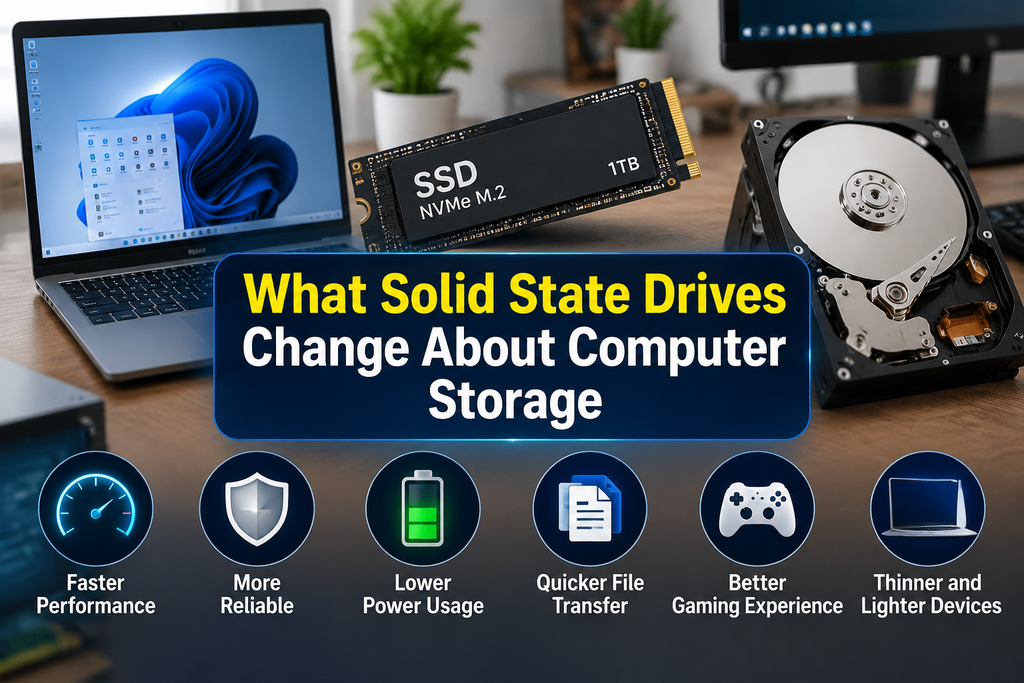
To understand the impact of SSD technology, it is important to know how traditional hard drives work. A hard disk drive stores information on spinning magnetic disks called platters. A small mechanical arm moves across the surface of these platters to read and write data. Because HDDs depend on physical movement, accessing information takes more time.
Solid State Drives work in a completely different way. They store data using NAND flash memory chips. These chips can save information without requiring any moving parts. When a computer needs to access a file, the SSD can quickly find and deliver the information electronically.
This difference between mechanical and electronic storage creates a significant performance improvement. An HDD may need several milliseconds to locate data, while an SSD can access information almost instantly. This faster response time is one of the main reasons modern computers feel much quicker when using SSD storage.
Faster Computer Performance With SSDs
One of the biggest changes caused by Solid State Drives is the improvement in computer speed. Storage plays an important role in overall system performance because the operating system, applications, and files all depend on storage access.
When a computer uses an SSD, the operating system can start much faster. A computer that previously took a long time to boot with an HDD can often become ready within seconds after switching to SSD storage.
Applications also open more quickly because the SSD can read program files at a much higher speed. Tasks such as opening large documents, editing videos, loading games, and transferring files become smoother and more efficient.
For professionals who work with large amounts of data, SSD performance provides a noticeable advantage. Video editors, graphic designers, engineers, and software developers often benefit from faster storage because their work requires frequent access to large files.
Improved Reliability and Durability
Another major change introduced by Solid State Drives is improved reliability. Traditional hard drives contain moving parts that can wear out over time. The spinning disks and mechanical arms inside HDDs are sensitive to physical damage, especially when a laptop is dropped or moved while operating.
SSDs do not contain these moving mechanical components. Because of this, they are more resistant to physical shock and vibration. This makes them especially useful for laptops and portable computers that are frequently carried from one place to another.
Although SSDs are not completely free from failure, modern SSD technology has become highly reliable. Many SSDs include features such as error correction and wear management systems that help maintain performance and extend the life of the drive.
Lower Power Consumption
Power efficiency is another important area where SSDs have changed computer storage. Since SSDs do not need motors or spinning disks, they require less energy to operate compared to traditional hard drives.
This lower power usage is especially valuable for laptops. A computer with an SSD can often provide better battery life because less energy is used for storage operations. Users who work remotely, travel frequently, or use laptops for long periods can benefit from improved energy efficiency.
The reduced power consumption of SSDs also helps data centers and large computer systems. Companies operating thousands of servers can save significant amounts of energy by using efficient storage solutions.
Faster File Transfer and Data Access
Modern users regularly work with large files, including high resolution videos, photographs, software packages, and databases. Traditional storage devices can become slow when handling these types of files.
Solid State Drives improve file transfer speeds because they can read and write data much faster. Copying files, installing software, and moving data between folders become quicker processes.
The speed advantage of SSDs is also important for cloud computing and professional environments. Businesses that manage large databases need storage systems that can quickly process information. SSD technology helps organizations improve efficiency and reduce waiting times.
The Role of SSDs in Gaming
The gaming industry has also been greatly affected by Solid State Drives. Modern video games contain large amounts of data, including detailed graphics, sound files, and complex game environments.
When games are installed on an SSD, loading times become shorter. Players can enter game worlds faster and experience smoother transitions between different areas. Many modern gaming consoles and high performance computers now include SSD storage because developers are designing games that take advantage of faster data access.
SSDs do not directly increase graphics quality or processing power, but they improve the speed at which game data reaches the processor and graphics system. This creates a better overall gaming experience.
Different Types of SSD Technology
Solid State Drives are available in different forms depending on performance needs and computer design. The most common types include SATA SSDs and NVMe SSDs.
SATA SSDs use the same connection style as many traditional hard drives. They provide a major speed improvement compared to HDDs and are often used as an affordable upgrade option.
NVMe SSDs represent a newer generation of storage technology. They connect directly through the computer’s PCI Express interface, allowing much higher data transfer speeds. NVMe drives are commonly used in high performance laptops, gaming computers, and professional workstations.
The development of different SSD types allows users to choose storage based on their needs, budget, and performance requirements.
How SSDs Changed Laptop Design
The introduction of SSD technology has also influenced computer design. Because SSDs are smaller and lighter than traditional hard drives, manufacturers can create thinner and more portable laptops.
Ultrabooks and modern lightweight laptops often depend on SSD storage because it allows manufacturers to reduce size while maintaining strong performance. This has helped create a new generation of portable computers that are faster, quieter, and more efficient.
The absence of moving parts also means SSD based computers operate more quietly. Users no longer hear the spinning sounds and mechanical activity commonly associated with older hard drives.
The Future of Computer Storage
Solid State Drive technology continues to improve every year. Manufacturers are developing SSDs with higher storage capacities, better performance, and improved durability. As production costs decrease, SSDs are becoming more affordable and accessible to everyday users.
Future computers will likely depend even more on advanced storage technologies. As artificial intelligence, cloud applications, and high performance computing continue to grow, the demand for faster and more reliable storage will increase.
The evolution from HDD to SSD shows how a simple change in technology can completely transform user experiences. Storage is no longer just a place to keep files. It has become an important part of computer performance.
Conclusion
Solid State Drives have changed computer storage by introducing faster speeds, better reliability, lower power consumption, and improved efficiency. By replacing mechanical components with flash memory technology, SSDs have removed many limitations of traditional hard drives.
Today, SSD storage is considered one of the most important upgrades for improving computer performance. Whether used in personal laptops, gaming systems, business computers, or professional workstations, SSDs provide a faster and smoother computing experience.
The impact of Solid State Drives goes beyond speed alone. They have changed how computers are designed, how users interact with technology, and how future storage solutions will develop. As technology continues to advance, SSDs will remain a key foundation of modern computer systems.

How Browser Extensions Add New Features to Web Browsers
How Modern Computer Processors Handle Multiple Tasks

How AI Image Tools Work in Simple Terms
About The Author
